
Family Christmas Photo Ideas from Your Own Photo
PopFestive creates family Christmas photos from one photo of everyone, with family Christmas photo ideas to help you choose a scene. Start with a group picture you already have, then describe the setting in the studio below.
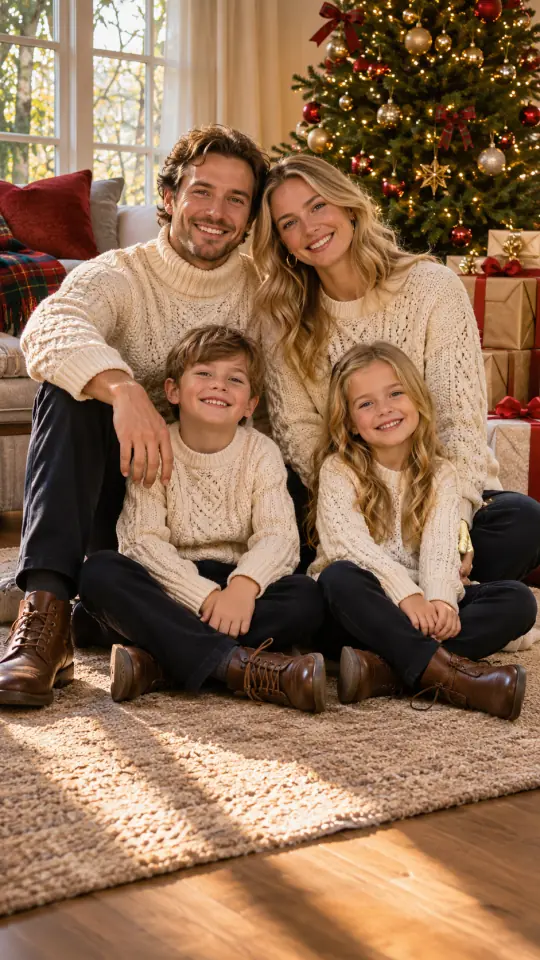
Family Christmas Tree Morning 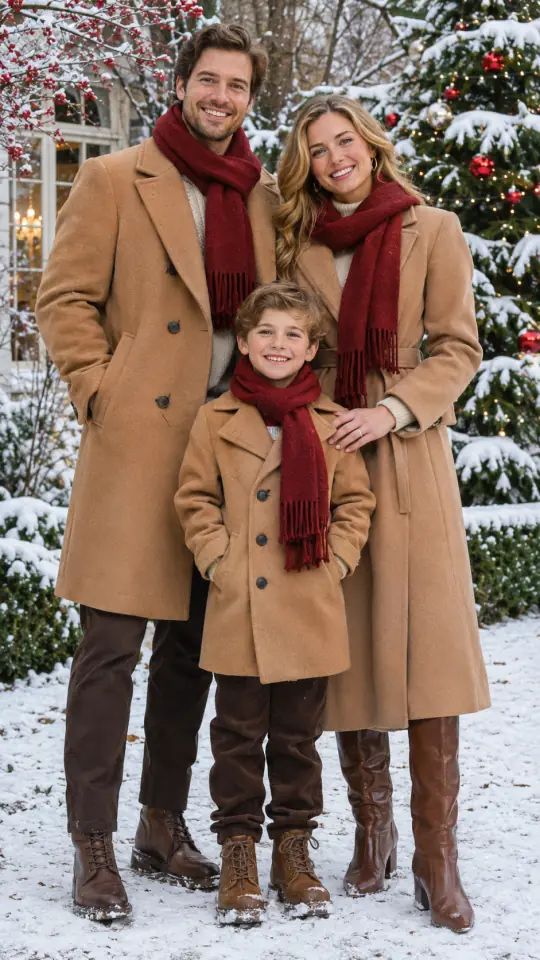
Snowy Christmas Garden Portrait 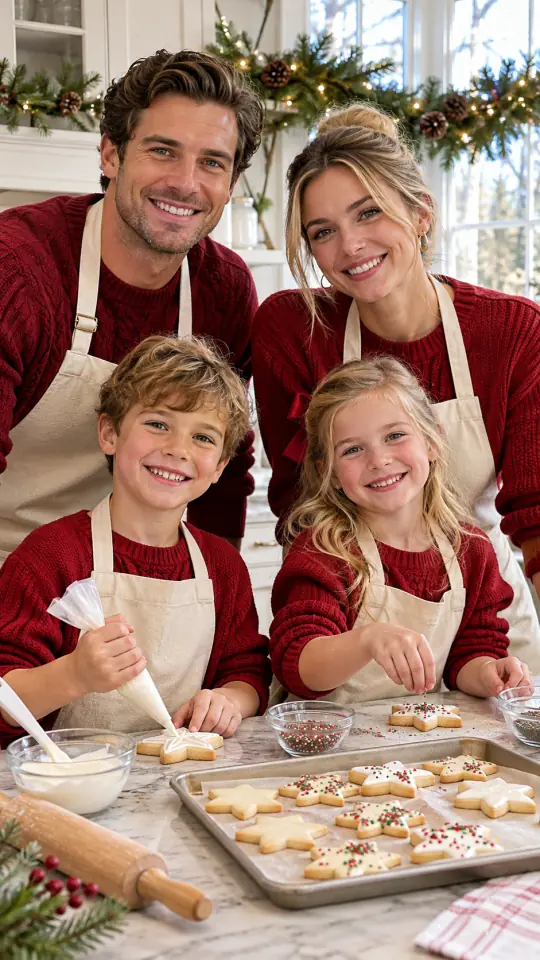
Christmas Cookies in Kitchen 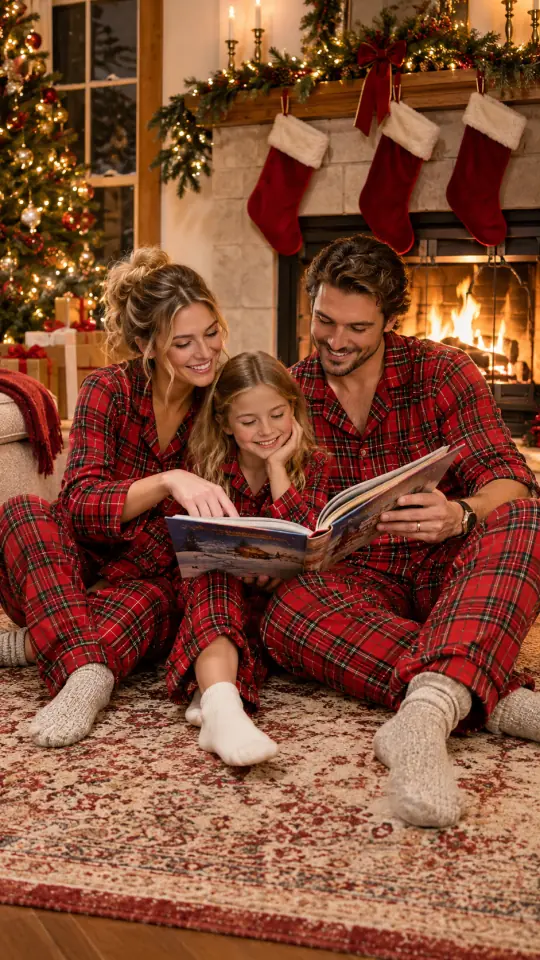
Christmas Story by Firelight
1Upload your photo
Use a clear, well-lit photo with one face visible.
Tip: drag photos onto the boxes, or paste one with Ctrl+V (⌘V).
2Pick your Christmas effect
Photo effects
Video effects
3Choose quality & format
Add a name or Christmas details, or leave this empty to use the selected style.
This Christmas photoshoot: 10 credits · 100 credits a month for $29.90, or 400 a year for $100
By creating, you confirm you have permission to use the uploaded photos. Terms of Service
1K uses 5 credits; the default 2K uses 10 credits per image.
From your own group photo
Family Christmas photo ideas for a photo you already have
Use these scenes to plan a new AI portrait of the people in your uploaded picture. PopFestive uses the Christmas photoshoot studio here: one photo, a scene description and a choice of image format and quality.
This is not a photographer booking service or a photoshoot appointment. It is not a stock photo gallery or a live camera filter, and it does not print or ship cards or prints. Upload only a photo you have the right to use, with permission from everyone pictured and a parent or guardian for children.
Six scenes
Family Christmas photo ideas to describe in the studio
Choose a setting, then type the clothing, light and background details you want into the studio. Keep the people in your description consistent with your source photo.
Family Christmas Tree Morning Cream knitwear, wrapped gifts and a glowing tree give a seated group portrait a warm morning setting.
Snowy Christmas Garden Portrait Camel coats and red scarves set the color palette for a snowy garden with a decorated evergreen.
Christmas Cookies in Kitchen Red sweaters, cream aprons and star cookies bring the scene to a kitchen island under evergreen garlands.
Christmas Story by Firelight Plaid pajamas and Christmas stockings frame a shared story beside the fire.
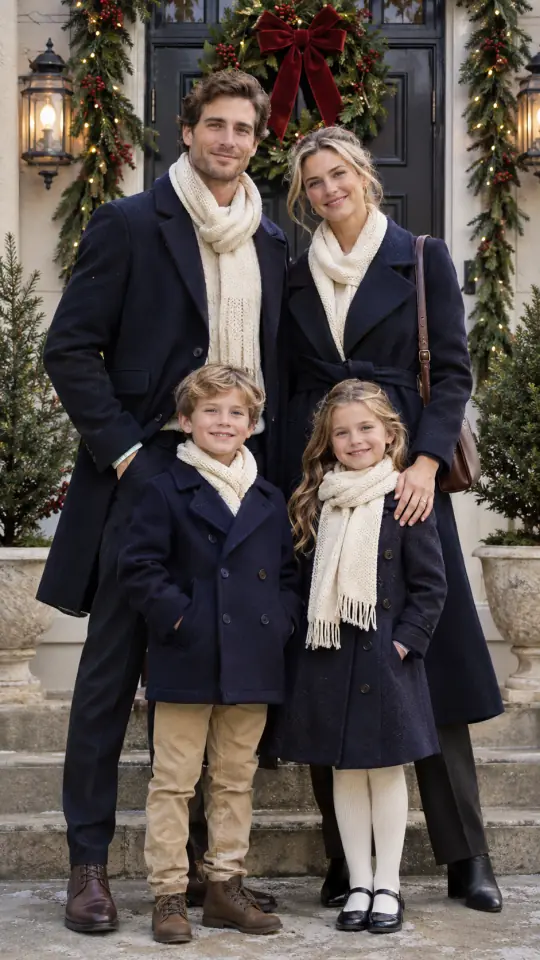
Festive Front Door Portrait Navy coats and cream scarves pair with a wreath-covered doorstep in soft afternoon light.
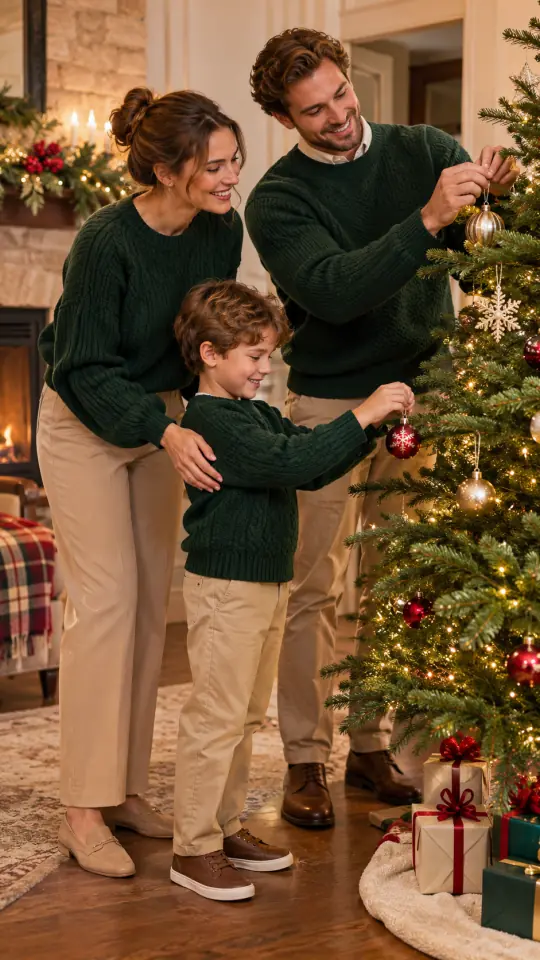
Hanging the Christmas Ornaments Green sweaters and low tree branches make hanging ornaments the focus of the scene.
For two people together
Couple Christmas photo ideas
For a couple Christmas photo, upload one photo of both people together. Use the same Christmas photoshoot mode, then describe a shared setting from these six scenes.
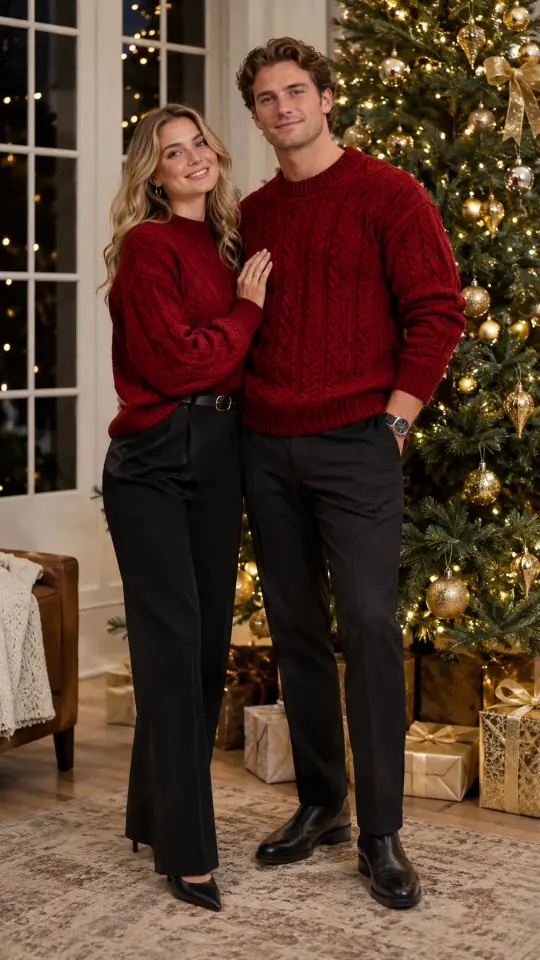
Matching Sweaters by Tree Red knit sweaters and gold ornaments set up a standing portrait close to the tree.
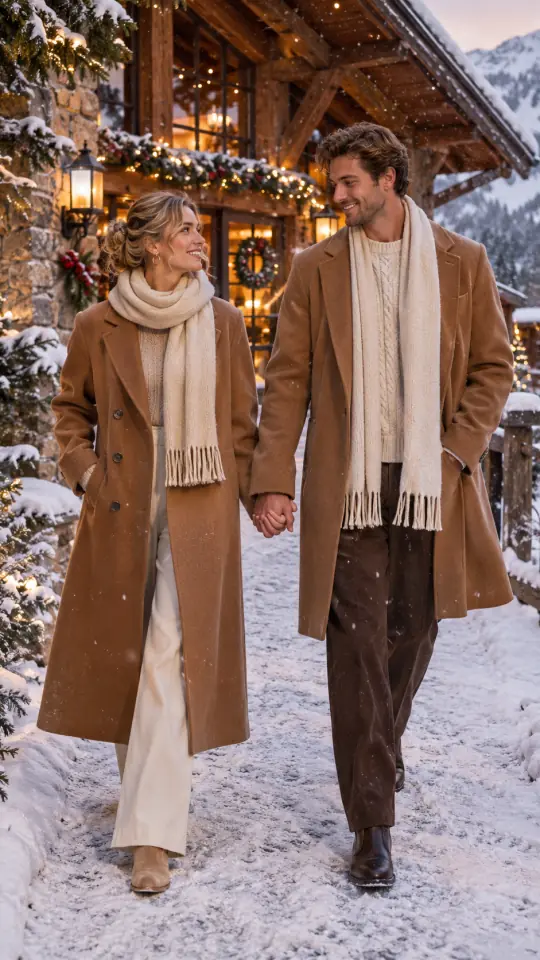
Snowy Chalet Evening Walk Camel coats, cream scarves and warm chalet windows set the scene for a snowy dusk walk.
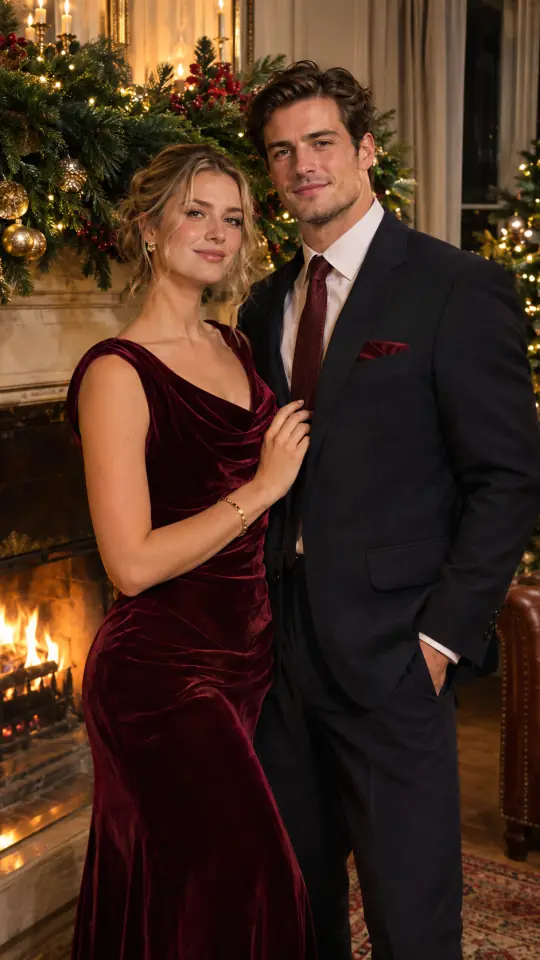
Velvet Christmas Evening Portrait Burgundy velvet and a dark suit pair with golden light beside a garland-covered fireplace.
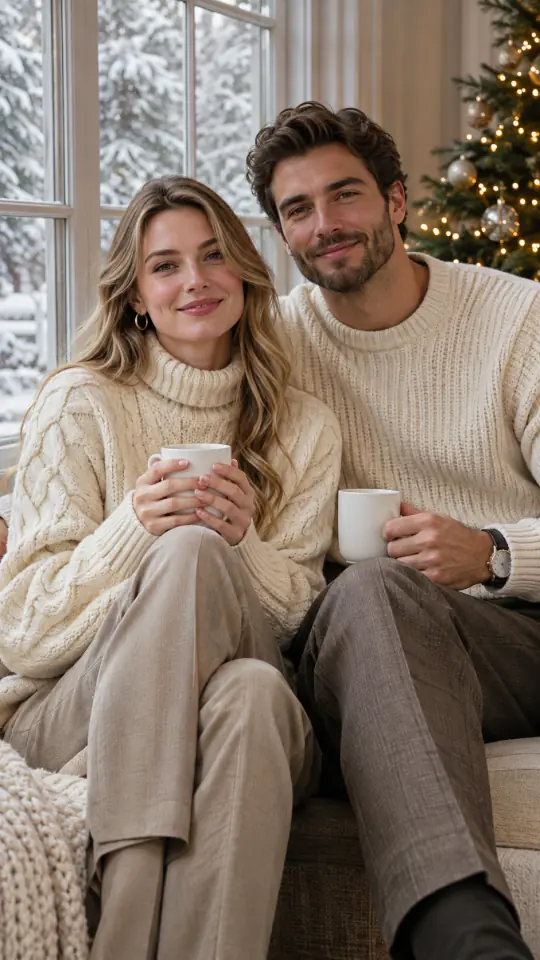
Cocoa by the Window Cream sweaters and plain mugs frame a seated moment by a window overlooking snow.
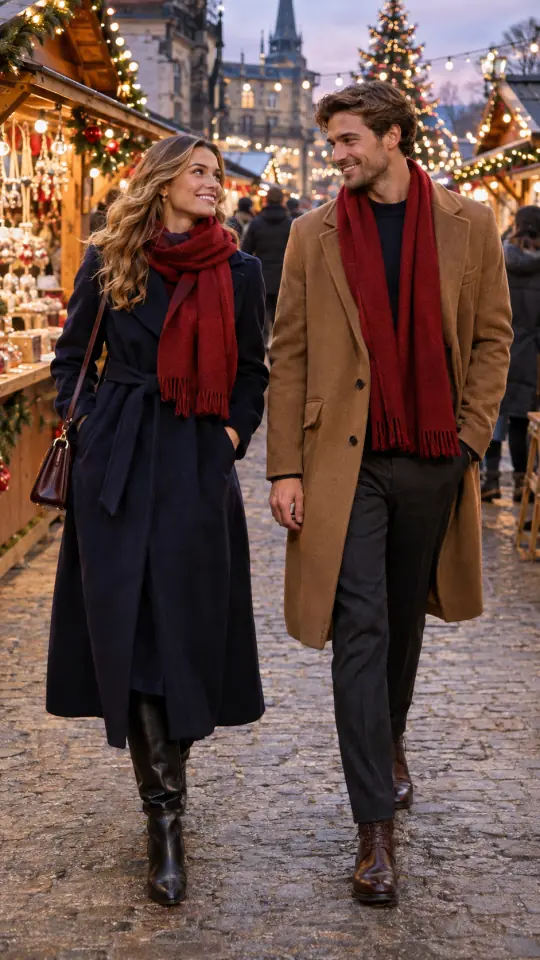
Christmas Market Winter Stroll Wool coats and red scarves bring color to a market scene with wooden stalls and string lights.
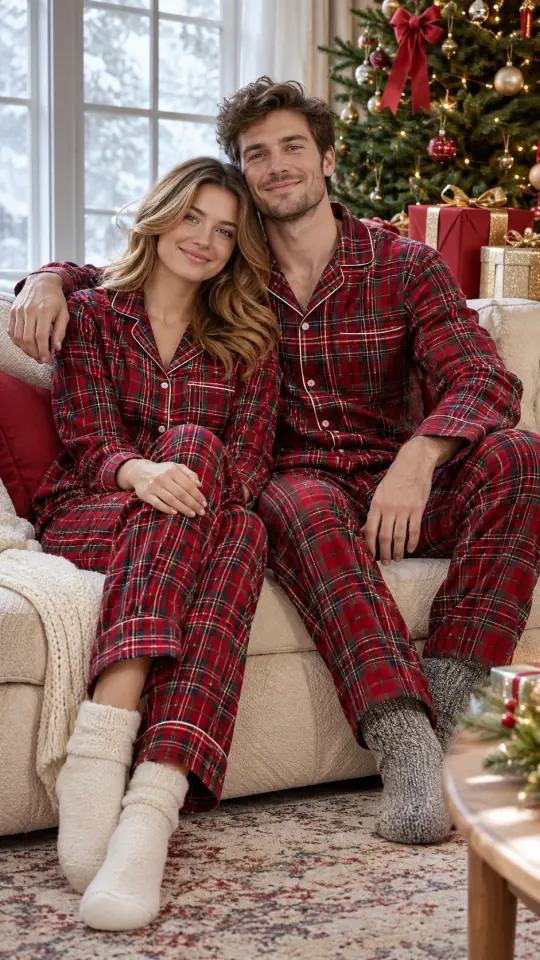
Cozy Plaid Pajama Morning Matching plaid pajamas, a cream sofa and wrapped gifts create a quiet Christmas morning setting.
Three steps
How to create your family Christmas photo
1. Add one group photo
Choose a clear photo showing everyone together. For a couple, both people must already be in the same picture. Check that you have permission to upload it.
2. Describe your chosen scene
Use the Christmas photoshoot mode already selected here. Add your preferred setting, clothing and light. Framing starts at vertical 9:16; square 1:1 and wide 16:9 are also available.
3. Check credits and create
1K uses 5 credits; the default 2K uses 10 credits per image. Sign in with enough credits and press Create when ready. Review faces, hands and the composition before downloading.
Browse the Christmas photo prompt library for more scene descriptions, or read how to make an AI Christmas photo for a broader walkthrough.
FAQ
Family and couple photo questions
Does this use my own family photo?
Yes, upload one existing photo with everyone in the same picture. Separate portraits cannot be combined in this mode. Use a photo you have rights to and permission from the people pictured.
Can I make a couple Christmas photo here?
Yes, use one photo of both people together. The couples section uses the same Christmas photoshoot studio as the family scenes.
Is this a photographer booking or card printing service?
No, this is an AI photo tool for a picture you already have. It does not book a photographer or a photoshoot appointment, and it does not print or ship cards or prints.
How many credits does a family photo cost?
1K uses 5 credits; the default 2K uses 10 credits per image. These costs apply to both family and couple images. The studio shows the selected cost before you create.
What format and quality can I choose?
The studio starts with vertical 9:16 framing and 2K quality. You can also select square 1:1 or wide 16:9 framing, and 1K quality.
Where can I find more Christmas photo ideas?
The Christmas photo prompt library has more scene descriptions. It covers people, pets and profile pictures as well as families and couples.
Choose a scene, add your photo
Use the PopFestive studio at the top of this page. Describe your scene, check the details and credits, then create when ready.