
An unofficial Christmas keepsake, made from your photo
 An unofficial Christmas keepsake, made from your photo
Santa Nice List Certificate
Make a Santa Nice List AI photo certificate: add one child’s portrait and their name, then choose a Christmas look and a personal message. No app, no template.
1Upload your photo
Use a clear, well-lit photo with one face visible.
Tip: drag photos onto the boxes, or paste one with Ctrl+V (⌘V).
2Pick your Christmas effect
3Choose quality & format
Add your child’s name and an optional message for Santa’s Nice List.
This certificate: 12 credits · 100 credits a month for $29.90, or 400 a year for $100
By creating, you confirm you have permission to use the uploaded photos. Terms of Service
No subscription needed · Ready in minutes · Failed creations are never charged
Updated Nov 13, 2026
The short answer
Photos: Nano Banana 2, 8 credits at 1K or 12 at 2K. Videos follow model, resolution and length.
What’s new on this page
- — Updated Nov 13, 2026
- — Added a matching example for every Christmas effect.
- — Explained the photo and personalisation inputs.
- — Confirmed photo rates: 1K uses 8 credits, 2K uses 12; videos follow the existing model formula.
- — Clarified tool status and permission requirements.
Made with PopFestive
Your photo in, a Christmas keepsake prepared
Each sample illustrates an effect, not a completed result made from your upload.
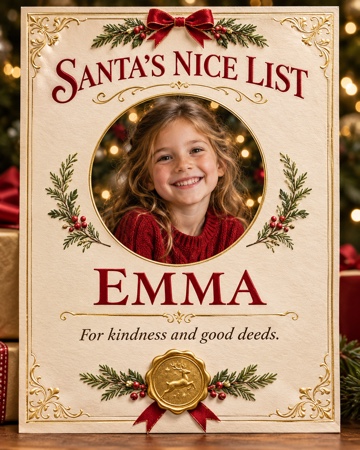
Santa Nice List 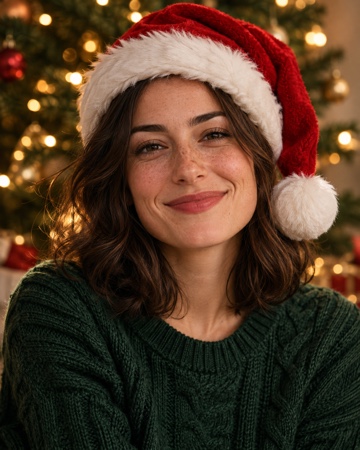
Christmas PFP 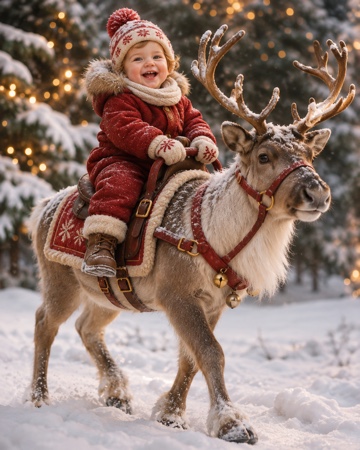
Baby riding reindeer · video cover 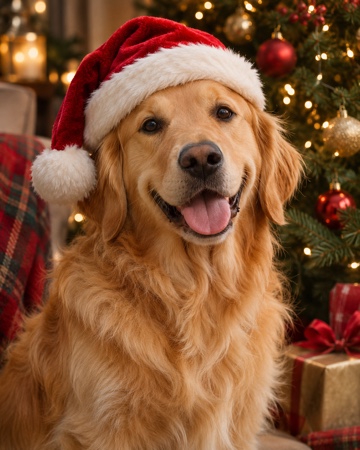
Christmas pets
The Santa Nice List keepsake
What is Santa Nice List?
Santa Nice List turns a child’s portrait and name into a festive AI photo certificate: one familiar face, a personal message and a Christmas setting. The example is a fictional keepsake, not a record kept by an official Santa organisation.
People look for a Santa Nice List or a nice list certificate to make Christmas feel personal. Here the starting point is your child’s photo, not a blank document to fill in. Choose the portrait, add a name and keep the message specific to the child.
Your Santa Nice List creation is a photo certificate, with a vertical format available in the studio. Review names and lettering at full size before sharing.
Looking for a nice list certificate?
This is an AI photo certificate, not a free printable template download. It includes the uploaded portrait and the name you provide. It is a playful Christmas keepsake, and it does not check a real list or represent a commercial Santa service.
Want another festive photo? See the AI Christmas Photo Generator
Step by step
How to make a Santa Nice List certificate
Four steps, straight from your phone. Choose your effect and review the settings before you create.
- 1
Add one child’s photo
One clear, front-facing portrait, used with a parent or guardian’s permission.
- 2
Keep Santa Nice List selected
The certificate effect is already selected. Add the child’s name and an optional message about a kind act or Christmas memory.
- 3
Choose the format and review it
Photos: Nano Banana 2, 8 credits at 1K or 12 at 2K. Videos follow model, resolution and length.
- 4
Prepare it, then share when ready
Check the portrait, name and message. Review the final creation before downloading.
After your certificate: more Christmas effects
Made from your own photos: choose a festive profile picture, a pet portrait or a winter video.
Why make it here
A Santa Nice List keepsake without an app
A certificate about your child
Use their portrait and name, then add a short message that makes the Christmas keepsake personal.
No app, no blank template
Works in a phone browser. Prepare a photo certificate directly, rather than downloading and filling in a blank printable.
One portrait, one name
You do not need a photo with Santa, special clothing or a studio visit. Start with a clear picture you have permission to use.
Know the cost before creating
Photos: Nano Banana 2, 8 credits at 1K or 12 at 2K. Videos follow model, resolution and length.
FAQ
Santa Nice List FAQ
It is a personalised PopFestive photo certificate made around a child’s portrait, name and optional message. Upload one photo, choose the certificate effect and enter the child’s name to prepare the creation.
Photos use 8 credits at 1K or 12 at 2K; videos follow the original model and duration formula. There is no unlimited-free-generation offer. Existing pack and subscription prices apply.
No app is needed. The certificate effect is in the browser studio, with a photo upload, name field and Christmas style choices.
No. Santa Nice List is an unofficial fun tool. It is not affiliated with, endorsed by or a representative of any commercial Santa service, and it does not verify a child’s behaviour or an official list.
Yes, you can prepare the inputs using a clear photo supplied with permission. A parent or guardian must agree before you upload a child’s image.
It is one specific photo effect: a named certificate with a child’s portrait. The AI Christmas Photo Generator covers broader festive portraits and pet photos.
Photos use Nano Banana 2 at 1K or 2K. Videos use Seedance, with duration choices depending on the model. Review your settings before you create. Video examples currently show still covers.
Use your own photos or photos of people who agreed. Do not impersonate celebrities or public figures; children’s photos require a parent or guardian’s permission.
No. It works from an uploaded photo, rather than checking a list through a live camera or a Santa interaction.
No. It is an AI photo certificate with the uploaded child’s portrait and name, not a free, blank printable template. Download formats and image creation uses 8 credits at 1K or 12 credits at 2K.
No. Buy a one-time pack for what you need, with no subscription and no automatic renewal. Monthly and yearly plans are optional; their prices, credit allowances and cancellation flow stay the same. A photo uses 8 credits at 1K or 12 at 2K, while videos follow their selected model settings.
This effect is designed for a child’s portrait and name. Choose Christmas pets in Effects for a dog or cat; that effect also supports two pet photos.
The intended result is a personalised AI photo composition, not a promise to reproduce a particular commercial certificate. The sample shows the direction; review any generated name and text before sharing.
Your Santa Nice List keepsake starts with one photo
One portrait, one name, a personal Christmas message. Prepare your certificate in the studio.