Christmas photos and a winter video, one studio

Updated Nov 13, 2026
What’s new on this page
- — Updated Nov 13, 2026
- — Added a matching example for every Christmas effect.
- — Explained the photo and personalisation inputs.
- — Confirmed photo rates: 1K uses 8 credits, 2K uses 12; videos follow the existing model formula.
- — Clarified tool status and permission requirements.
- — Kept the guides and related-effect links.
PopFestive effects, made from your photo
Four Christmas creations in one studio: a named photo certificate, a festive profile picture, a baby riding reindeer video and a Christmas pet portrait. Pick the effect, then prepare the source photo and details; the samples illustrate the direction.
How to use the PopFestive effects
- Add a photo. One is enough for most effects; Christmas pets also accepts two pet photos.
- Pick an effect. Choose the certificate, profile picture, reindeer video or pet portrait.
- Photos: Nano Banana 2, 8 credits at 1K or 12 at 2K. Videos follow model, resolution and length.
All the PopFestive effects
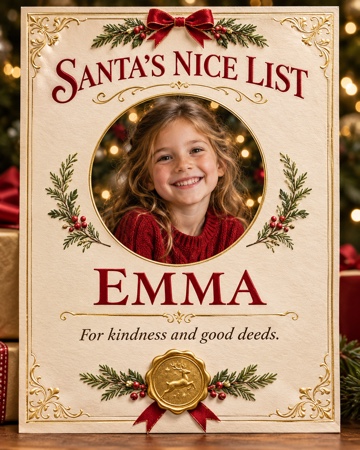
- Santa Nice List: a child’s portrait and name in an unofficial fun photo certificate.
- Christmas PFP: a Santa hat and warm lights around a familiar face.
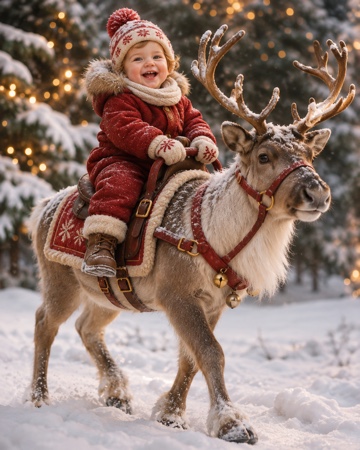
- Baby riding reindeer: a baby in a snowy reindeer scene; the example is a static video cover.
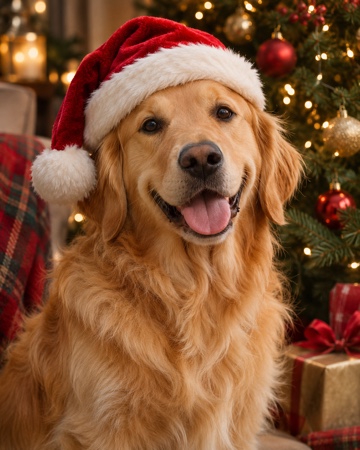
- Christmas pets: a dog or cat beside a Christmas tree, with one-photo and two-pet modes.
After choosing an effect, follow the matching guide
PopFestive Guides covers photo selection, names, format choices and checks before sharing. For a child’s image, obtain a parent or guardian’s permission; use only photos you are authorised to upload.