
The photo for the front of this year's card
 The photo for the front of this year's card
AI Christmas Card Generator: Make the Photo Your Card Deserves
Upload one picture and get a warm, festive portrait sized and styled to drop straight into your Christmas card, whether you print it, mail it or send it by text.
1Upload your photo
Use a clear, well-lit photo with one face visible.
Tip: drag photos onto the boxes, or paste one with Ctrl+V (⌘V).
2Pick your Christmas effect
3Choose quality & format
Add a name or Christmas details, or leave this empty to use the selected style.
This Christmas card photo: 12 credits · 100 credits a month for $29.90, or 400 a year for $100
By creating, you confirm you have permission to use the uploaded photos. Terms of Service
No subscription needed · Ready in minutes · Failed creations are never charged
Updated Nov 13, 2026
The short answer
Upload one picture and get a warm, festive portrait sized and styled to drop straight into your Christmas card, whether you print it, mail it or send it by text.
What’s new on this page
- — Card-friendly framing tips, with room left for your greeting and family name.
- — Four festive looks: Classic Red & Gold, Cozy Christmas, Snowy Wonderland and Santa's Workshop.
- — New before-and-after examples showing a family photo turned into a card portrait.
- — Guidance on choosing 1K for e-cards and 2K for printed cards.
- — Links to the photoshoot, Santa photo, wallpaper and background pages.
Made with PopFestive
Your photo in, a card-ready Christmas photo out
Every Christmas card starts with one picture, and that picture is usually the hard part. The examples here show how an ordinary photo becomes the one you'd proudly put on the front: a casual snap from the garden turns into a portrait by a glowing tree, a kitchen-table selfie becomes a snowy evening scene, and the family dog ends up beside a stack of wrapped presents.
Notice how each example keeps a calm space at the top or bottom of the frame. That's where your "Merry Christmas from the Parkers" or "Happy Holidays, love from all of us" will sit once you add the photo to your card. Choose the example that feels closest to your family's style, then make your own from a picture you already have.

Your photo in 
Your Christmas look out Your starting photo 
Another festive look
Your personal Christmas creation
What is an AI Christmas card generator?
An AI Christmas card generator helps you create the festive photo at the heart of a Christmas card. With PopFestive, you upload a clear picture of a person or pet, pick a Christmas look, and get back a portrait with tree lights, cozy textures or soft snow around the face you love. Then you place that photo into the card design you already use, at your favorite print shop, in a photo app or in an e-card.
Most photo card templates look lovely in the preview because the sample photo is so good. When you swap in your own picture, the lighting is a bit flat, someone is squinting, and the background is a pile of laundry. A Christmas card photo generator fixes the part that actually matters. Your photo arrives in the template already looking festive, so the whole card feels finished.
It's a lovely way to send cards when the family is spread across different cities, when nobody had time for a holiday photoshoot, or when this year's best picture was taken in July. You can make a single portrait for a classic one-photo card, or create several in the same look and arrange them in a multi-photo layout.
Want a full set of family portraits? See the AI Christmas Photoshoot
Step by step
How to use the AI Christmas card generator
Four steps to choose your input, frame the picture and bring the Christmas details together.
- 1
Choose the photo for your card
Pick a clear, well-lit picture where faces are easy to see and everyone is looking toward the camera. A real smile matters more than a perfect background. Upload it from your phone or drag it in on your computer.
- 2
Pick a Christmas look
Choose Classic Red & Gold for a traditional card, Cozy Christmas for a warm at-home feel, Snowy Wonderland for a winter scene, or Santa's Workshop for a playful card the kids will love. The look sets the colors, so your card has one consistent palette.
- 3
Match the shape to your card
Vertical suits a folded or portrait-style card, wide suits a landscape card or an email header, and square works well for social posts. Choose 1K for e-cards and messages, or 2K when you're printing and want extra detail.
- 4
Create, download and add to your card
Add a small detail if you like, such as "red scarves" or "candles in the window," then create your portrait. Download it and drop it into your card template, then add your greeting and family name.
More Christmas effects
Made from your own photos: a certificate for the kids, a festive avatar, a pet portrait or a snowy little video.
 Christmas PFPA festive profile picture with a Santa hat and warm lights.Make it
 Christmas petsYour dog or cat in a cozy Christmas scene, ready for the pet's own card.Make it
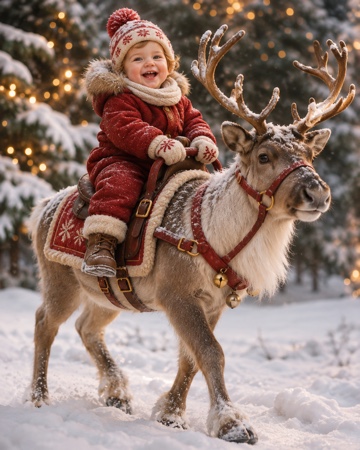 Baby riding reindeerYour baby riding a reindeer through the snow.Make it
Santa Nice List — A personal Nice List certificate with your child's photo and name. Tuck it inside the card. Make it
AI Christmas Photoshoot — A whole set of festive family portraits from everyday photos. Make it
AI Santa Photo — Santa hat, red coat and twinkling lights on someone you love. Make it
AI Christmas Wallpaper — A festive lock screen made from your favorite face. Make it
AI Christmas Background — A wide Christmas scene to use as the base layer of your card. Make it
Why make it here
Why make your card photo here
The picture that makes the card
Your card's design is only as good as the photo in it. Start with a familiar face and get back a portrait that already feels like Christmas, so the whole card comes together.
Works with the card you already like
Download the photo and use it in your favorite print shop template, card app or e-card. Keep the fonts and layout you love, and give them a better picture to frame.
One family, one festive palette
Make each portrait in the same look, and every photo on a multi-photo card shares the same lights and colors. It reads as one family, even when the pictures came from different phones.
Sized for print or screen
Choose 2K for printed cards and 1K for messages and e-cards. A photo uses 8 credits at 1K or 12 credits at 2K, downloads have no watermark, and pack credits never expire.
FAQ
AI Christmas card generator FAQ
It makes the festive photo for your Christmas card. You upload a picture, choose a Christmas look and get back a portrait you can place into any card template, print layout or e-card, then add your greeting around it.
Add them in the card template or app you're using for the card itself. That way you can pick the font, the layout and the wording, and adjust it as many times as you like. Leaving space at the top or bottom of the photo makes this easy.
Choose 2K when you're printing, especially for larger cards, because it gives you more detail. For e-cards, texts, emails and social posts, 1K looks great on screen and uses fewer credits.
The studio works best with one clear face per upload. For a family card, make a portrait of each person in the same Christmas look and arrange them in a multi-photo card layout. Pets can join too with the Christmas pets effect.
Each photo uses 8 credits at 1K or 12 credits at 2K, and you see the amount before you create. Credit packs are a one-time purchase with no subscription, and the credits never expire, so you can come back for next year's card.
Yes. A parent or guardian should agree before a child's picture is uploaded. If you're a grandparent making a card, ask for a favorite recent photo and you'll have a lovely surprise ready for the whole family.
This year's card starts with one great photo
Upload a favorite picture, choose a Christmas look and drop a festive portrait straight into your card.