
Dog Santa Photo guide
How to Make a Dog Santa Photo: Steps and Tips
Make a dog santa photo with a red coat and hat from one dog picture or two separate dog photos. Follow four steps, check quality and choose the frame.
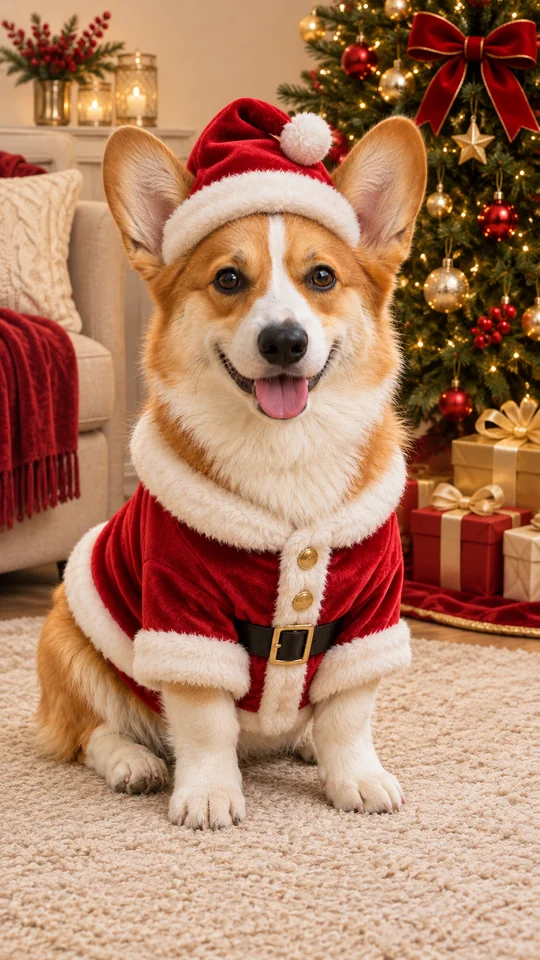
Make a dog Santa photo by uploading your dog’s picture and keeping Santa outfit selected in Christmas pets. The look adds a red Santa coat with white trim and a hat beside a decorated tree with warm lights. Use one clear photo for one dog, or separate photos for two dogs together.
Before you start
Have your source photos ready and use pictures you have permission to upload. Keep the subject sharp and easy to see. The studio supports uploads from your computer or phone; on a computer, you can also drag a photo into the upload box or paste it.
1. Upload one photo per dog
Use a clear JPG, PNG or WebP smaller than 10 MB. Show the face, eyes, ears and coat markings. For two dogs, select Two pets and upload a separate photo of each dog.
2. Keep Santa outfit selected
Christmas pets and Santa outfit are already selected. This look dresses each dog in a red Santa coat with white trim and a Santa hat, ears visible, beside a decorated tree with warm lights.
3. Choose quality and format
The default is 2K at 10 credits; 1K uses 5 credits. Start with vertical 9:16, choose square 1:1 for a profile picture, or wide 16:9 for a card photo. One or two dogs use the same photo credit cost.
4. Create, check and download
Optionally add your dog’s name or coat details. Sign in, review the displayed cost and press Create. Compare the face, ears, paws and markings with the source photo before downloading.
Photo tips for this tool
- Use soft window light or outdoor shade. Keep the dog’s eyes, muzzle, ears and coat markings sharp and visible in the source photo.
- For two dogs, add a different dog in each slot. Pick separate photos with similar lighting and a comparable camera angle.
- Keep Santa outfit selected for the red coat and hat. Use 9:16 for a tall portrait, 1:1 for a square profile picture or 16:9 for a card image.
A detail you can try
The optional details field is for a name or a short scene preference. Keep requests specific, and keep the selected style consistent with the result you want. You can leave the field empty to use the selected look.
Milo, a red-and-white corgi; keep his white face blaze, upright ears and short legs, with the Santa outfit beside warm tree lights.
How much does it cost?
A dog Santa photo uses 5 credits at 1K or 10 credits at the default 2K quality. The photo credit cost is the same for one dog or two dogs. Check the cost shown in the studio before creating.
Check before sharing
Review the finished result at full size. AI can change small features and composition, even when prompted to preserve the subject. If the face, markings, framing or placement look wrong, try a clearer source photo or adjust the details before making another creation.