Your home in a Christmas camera clip

Christmas PFP
Santa hat
Make it
Your home in a Christmas camera clip
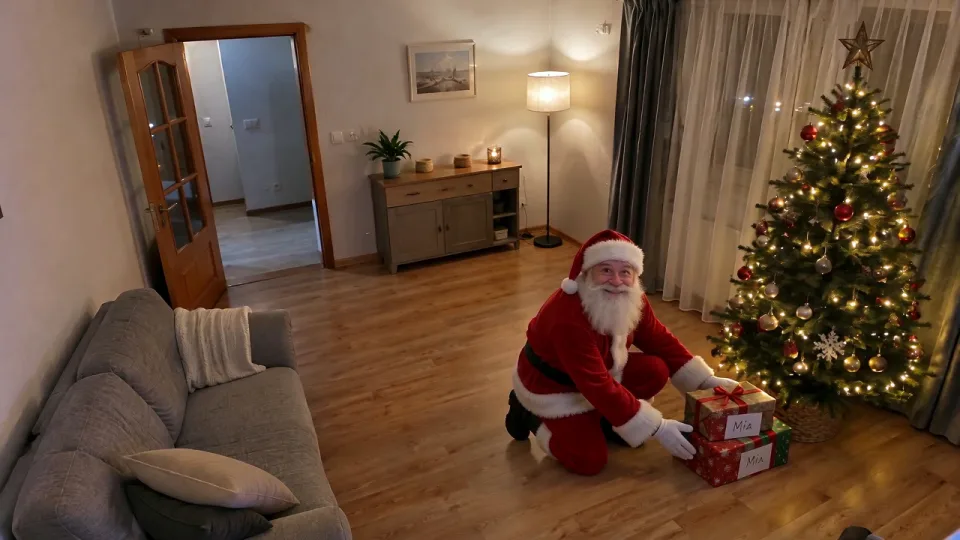
Make a personalized santa video from one photo of your room or front door: Santa enters, places gifts and waves in a fictional security-camera clip, with an optional name shown as scene text.
1Upload your photo
Use one living-room or front-door photo with open space for Santa and gifts. No face is required.
Tip: drag photos onto the boxes, or paste one with Ctrl+V (⌘V).
2Pick your Christmas effect
3Pick quality & length
Up to 24 characters. The name appears as scene text only. No spoken message, voice or lip-sync; ambient sound may be present.
This Santa video: 9 credits · 100 credits a month for $29.90, or 400 a year for $100
By creating, you confirm you have permission to use the uploaded photos. Terms of Service
From 4 credits · Standard · 720p · 10 seconds · 16:9 · 9 credits
Updated
A personalized santa video turns one photo of your living room or front door into a short fictional security-camera clip. Santa enters, places gifts and waves. Add an optional child’s name as visual text on a gift tag or sign. This is not a live video call with Santa or a long spoken message that says the child’s name. Clips start from 4 credits; 720p at 10 seconds uses 9 credits. Choose 8, 10, or 15 seconds.
Video previews
Choose a scene, then use Make it to open that scene in the studio.
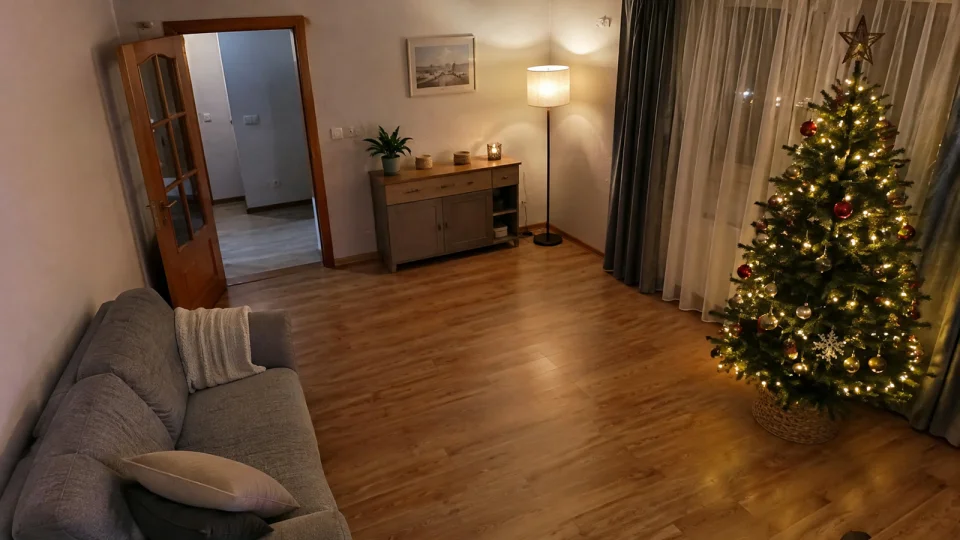
Before
After · Video preview
A fictional visit, with a name on a gift tag
Make itBefore
After · Video preview
A fictional visit, with a name on a gift tag
Make itBefore
After · Video preview
A fictional visit, with a name on a gift tag
Make it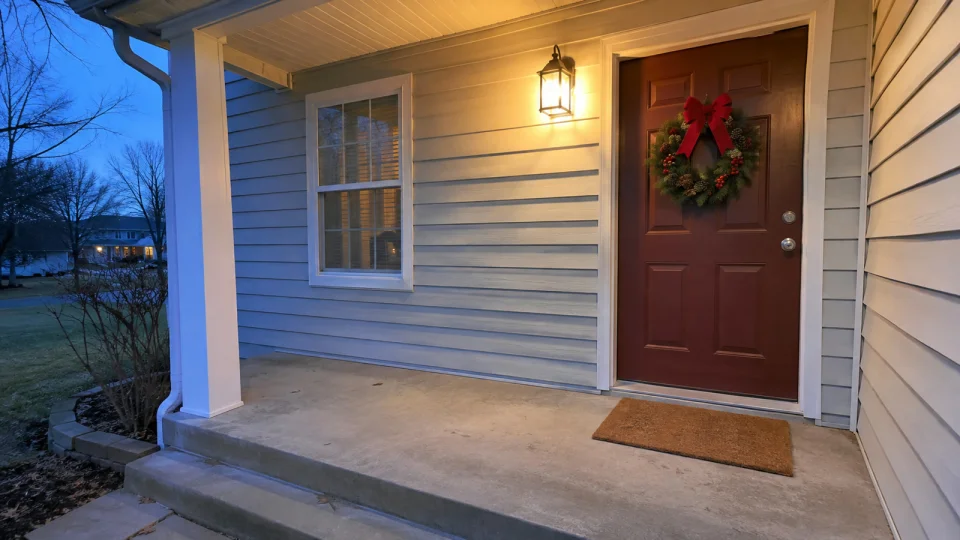
Before
After · Video preview
A fictional visit, with a name on a gift tag
Make itThe Personalized Santa Video Trend
PopFestive animates your own living room or entrance into a short fictional Santa visit. A fixed camera watches Santa arrive, leave gifts and wave. The model is prompted to preserve your home’s layout, furniture and viewpoint while adding Santa and his gifts.
A custom santa video can include a child’s name on a gift tag or small sign. It is not a live video call with Santa and does not create a long spoken message that says the child’s name. This silent-style scene requests no voice, speech or lip-sync; the video path can produce ambient sound.
Use an indoor photo for Gifts by the tree, green Night vision or black-and-white Sneaking in. Choose Front door for a porch or entrance photo. Wide 16:9 leaves room to show the entry and gift placement in the same frame.
Step by step
Use one JPG, PNG or WebP smaller than 10 MB. Show the doorway and open floor in a living room, or the front door and porch. No person or face is needed. Use a photo you have permission to upload.
Choose Gifts by the tree, Night vision, Sneaking in or Front door. Add only a child’s name, up to 24 characters, or leave it empty. The name is shown as text on a gift tag or sign; Santa does not say it.
Standard, 720p, 10 seconds and wide 16:9 are selected. You can choose 480p or 720p and 8, 10, or 15 seconds. Pricing uses the same Standard per-second formula as other videos, from 4 credits; 720p at 10 seconds uses 9 credits.
Sign in, check the cost and press Create my Santa video. Review the home layout, Santa’s movement and name lettering before downloading. The prompt requests no speech or lip-sync; ambient sound may be present. Share it as a fictional Christmas story.
Why make it here
Use a room or door photo as the starting frame. The prompt asks the model to retain your architecture, furniture and camera viewpoint.
Add up to 24 characters for a child’s name as scene text. Leave it empty for a clip without a name.
Choose Gifts by the tree, green Night vision, black-and-white Sneaking in or a Front door view.
Standard per-second pricing starts from 4 credits; 720p at 10 seconds uses 9 credits. Confirmed failed creations return their credits; an uncertain response is checked first.
FAQ
For 8, 10, or 15 seconds, Standard uses 4, 5, or 7 credits at 480p and 7, 9, or 13 credits at 720p, respectively. The cost is shown before creation. Confirmed failed creations return their credits; uncertain provider responses are checked first.
No. It is a short silent-style security-camera clip from your own photo, not a live video call with Santa or a long spoken message that says the child’s name. The prompt prohibits voice, speech, dialogue and lip-sync. Ambient sound may be present.
The optional name appears only as visual text on an in-scene gift tag or small sign. Enter a name of up to 24 characters; letters, spaces, apostrophes and hyphens are kept. Leave the field empty to omit the name, and review the lettering before sharing.
Upload one JPG, PNG or WebP smaller than 10 MB of your living room or front door. Keep the entrance and open floor or porch visible, with room for Santa and gifts. No person or face is required.
Choose 8, 10, or 15 seconds with Standard quality at 480p or 720p. The default is 10 seconds at 720p. The frame is wide 16:9 to show the entrance and gift placement together.
Use a photo you have permission to upload and create and share a video from. Keep private details out of the frame. The clip depicts a fictional Santa visit made with AI; never present it as genuine security footage or evidence of a real visit.
Choose a room or front-door view, select a camera scene and add a name as text if you want.