
Dog Christmas Photo guide
How to Make a Dog Christmas Photo: Ideas and Steps
Make a dog Christmas photo from your own dog’s picture. Get dog Santa photo ideas, source-photo tips, four studio steps and advice for two dogs.
Make an AI dog Christmas photo from an everyday picture of your own dog. A clear face and a visible coat pattern give the model better references than a busy group picture. Choose a Santa outfit, cozy pajamas or a snowy scene without buying a costume or staging a photo shoot.
Open Dog Christmas Photo studio →
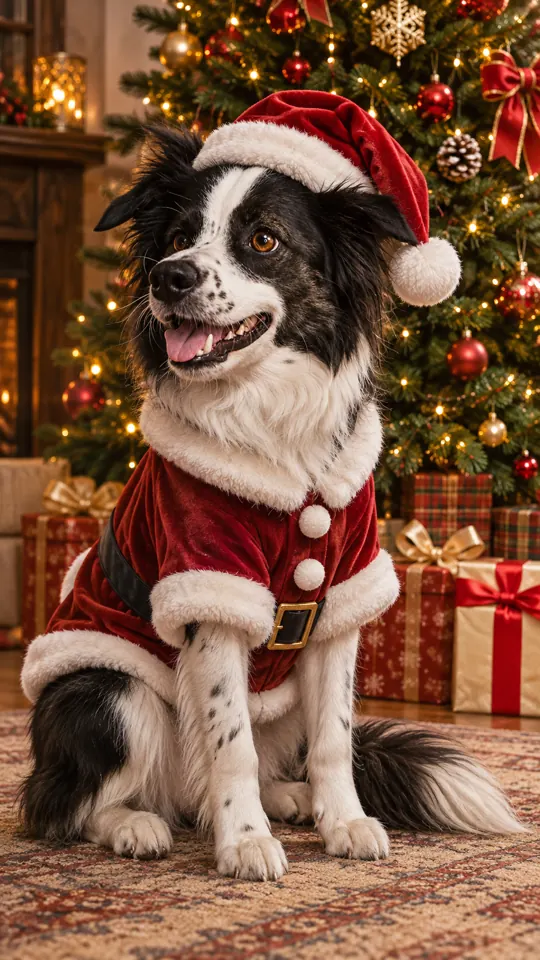
Before you start
Have your source photos ready and use pictures you have permission to upload. Keep the subject sharp and easy to see. The studio supports uploads from your computer or phone; on a computer, you can also drag a photo into the upload box or paste it.
1. Upload your dog’s photo
Use a clear JPG, PNG or WebP smaller than 10 MB. Keep the face, eyes and ears in frame, with one dog per photo. For two dogs, choose Two pets and add one photo of each dog.
2. Choose a Christmas look
Christmas pets is already selected. Choose Santa outfit for a dog Santa photo, Elf for a playful costume, or a cozy pajama, fireplace or snowy look.
3. Choose quality and format
A 1K picture uses 5 credits and the default 2K uses 10 credits. Keep vertical 9:16 for a phone picture, use square 1:1 for a profile picture, or wide 16:9 for a card front.
4. Create, check and download
Optionally add your dog’s name or a detail such as “Biscuit, red collar”. Sign in and press Create, then review the face, paws and markings before downloading. Failed creations return their credits.
Photo tips for this tool
- Use soft window light or outdoor shade. Keep the face, eyes, ears and coat markings sharp and visible.
- Choose one dog per source photo. For two dogs together, select Two pets and add a different dog in each upload slot.
- Choose square 1:1 for a Christmas dog profile picture, vertical 9:16 for a phone background, or wide 16:9 for the front of a card. Add any card greeting in your own editor.
A detail you can try
The optional details field is for a name or a short scene preference. Keep requests specific, and keep the selected style consistent with the result you want. You can leave the field empty to use the selected look.
Biscuit, a golden retriever with a red collar; keep his face, coat color and markings recognizable.
How much does it cost?
A dog Christmas photo uses the existing Christmas pets tool: 5 credits at 1K or 10 credits at the default 2K quality, for one or two dogs. The number is shown before creation. Failed creations return their credits.
Check before sharing
Review the finished result at full size. AI can change small features and composition, even when prompted to preserve the subject. If the face, markings, framing or placement look wrong, try a clearer source photo or adjust the details before making another creation.